Shubhzo app icon

Shubhzo

Har Shubh Pal Ka Saathi

An Indian wedding takes twelve vendors, four months and a hundred phone calls. Shubhzo puts all of it on one screen — and gives the vendors on the other side an app of their own.

💍 29 categories 🧾 189 bookable services 🗣️ 11 languages 🎟️ Refundable token 🤝 Two apps, one install

Android · coming soon to Google Play

29Event categories
189Bookable services
11Languages
2Apps in one install

What Shubhzo is

One app for the family. One for the vendor.

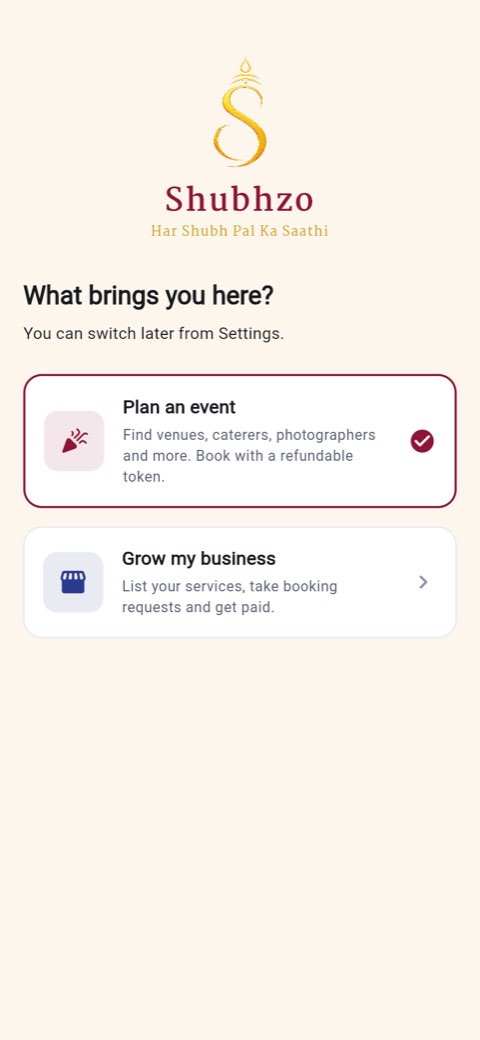
Install it once. The first screen asks what brings you here — Plan an event or Grow my business — and you get an entirely different product, down to the colours. Sign in with a vendor account and you land on the Partner side no matter what you picked.

The side you get is a runtime choice

Most marketplaces ship two apps and ask you to find the right one. Shubhzo ships one binary that contains both. The theme, the navigation and the whole route table follow whichever side you are on — maroon and gold for the customer, indigo and teal for the partner — so a decorator who also plans her own daughter's wedding never has to wonder which app she is looking at.

Switching later lives in Settings → Switch app. It signs you out, because a session belongs to an account with one role.

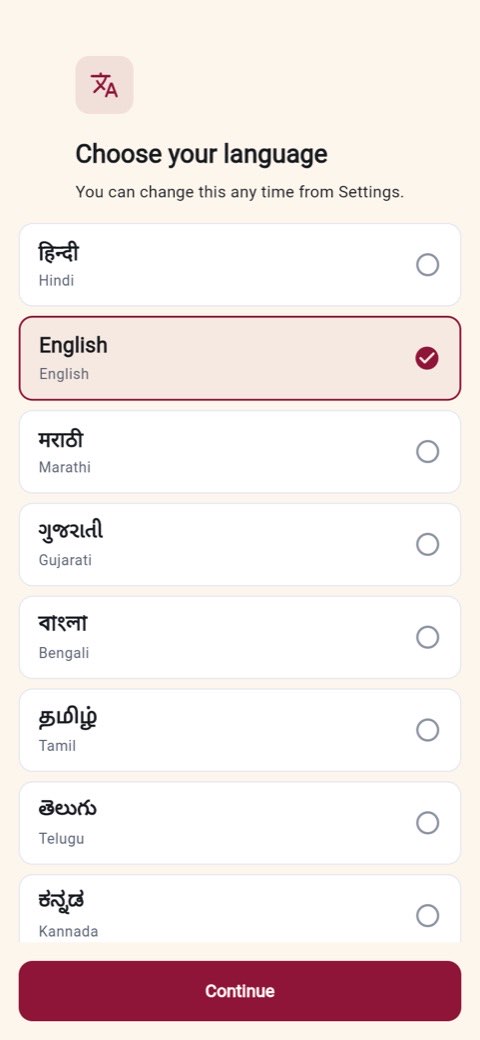
Before any of that, the app asks which language to speak. Eleven are on the list, each in its own script, and the choice applies instantly — no restart, no re-download.

The first-run screen asking What brings you here, offering Plan an event or Grow my business The language chooser listing Hindi, English, Marathi, Gujarati, Bengali, Tamil, Telugu and Kannada in their own scripts

The spine of the product

How a booking actually works

A small refundable token holds your date. The vendor verifies it in person by scanning your QR. Only when they accept do the two of you get each other's phone numbers.

The booking lifecycle

Every state the app can be in, and the one thing that moves it to the next. The lower path is what happens when a vendor never answers.

Browse pick a vendor Pay token ₹101 – ₹1,001 Request sent QR + 24h countdown contacts masked Vendor scans QR six checks run Confirmed date is locked contacts unlock no answer in 24h Expired → token refunded straight back to your wallet Quote → balance token credited off Service delivered both sides confirm Vendor settled 3 days after You leave a review stars + photos
The gate that matters is the scan. A vendor cannot see your phone number by receiving a request — only by accepting one. That rule is enforced by the server, not hidden in the app.

The 24-hour token window

The token is what makes a request cost something on both sides. It is small, it is refundable, and it expires on a clock neither party can nudge.

0h 6h 12h 18h 24h Token paid request created, QR issued Vendor scans & accepts any time inside the window Window closes nothing happened Accepted → Confirmed The date is blocked on the vendor's calendar. Phone numbers unlock for both sides. Expired → Refunded The token returns to your wallet on its own. Both sides are told why.
Twenty-four hours is a server-side policy, not a constant in the app — an operator can change it without shipping a release.

What a token costs, by service

The token scales with what is being held. A venue is a bigger commitment than a pandit, so it costs more to hold. Bar length is the number of services priced at that rung.

₹1,001 8 venue · destination wedding · full-service planner ₹501 34 catering · photography · accommodation ₹201 86 decoration · makeup · DJ ₹101 61 pandit · mehndi · cake designer 0 86 services
Five more services — the budget calculator, guest estimator, food quantity, decor area and Shubh Muhurat — cost nothing at all. They are tools, not bookings. Every amount is set by the operator and read live, so a price change needs no app update.

The customer app

Everything one event needs, in one workspace

Create the event first, and the app builds the checklist for you — twelve services for a wedding, five for a first birthday — then tracks every one of them against it.

🗂️

The event workspace

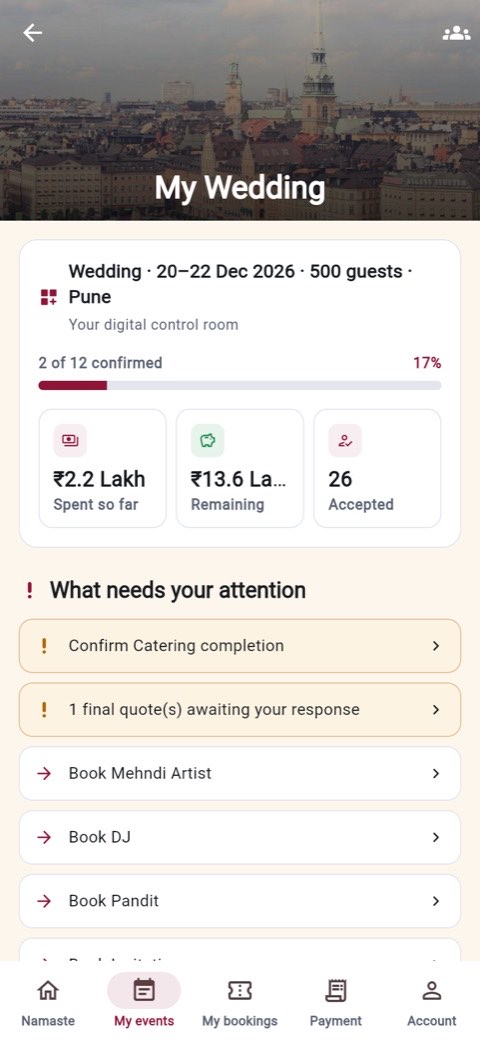
A live checklist of every service the event needs, what needs your attention today, what you have spent against what is left, and the day plan — all on one screen.

🔍

Search that filters honestly

City, price, capacity, rating, free-on-a-date, facilities, verified only. The price and capacity ranges come from the actual results, so there are no dead filter positions.

⚖️

Compare two to four vendors

Side by side, with the best value in each row highlighted — cheapest, highest rated, most experienced — rather than just laid out for you to squint at.

🎟️

Token, QR and a live countdown

Pay the token, get a QR and a token number. The countdown is real: if nobody answers in 24 hours the money comes back to your wallet on its own.

🧮

Five free planning tools

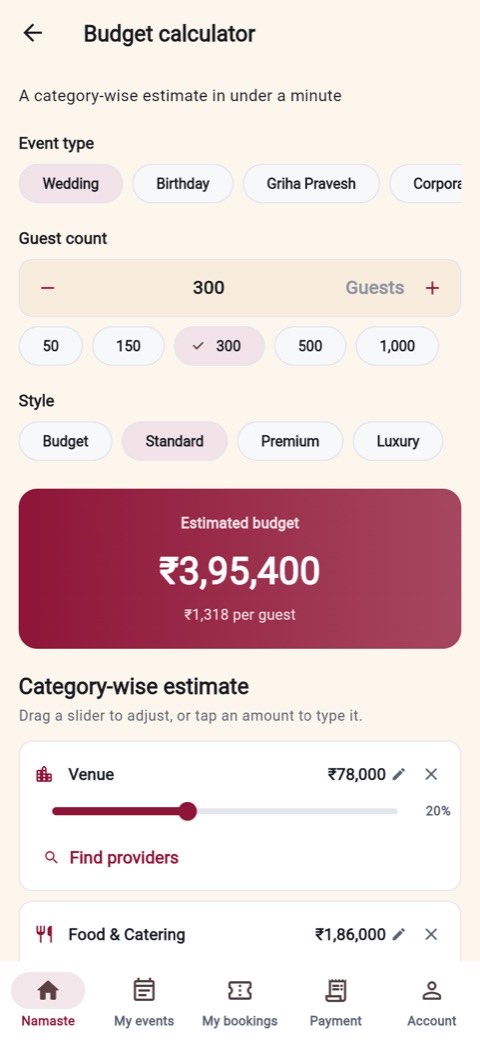
Budget calculator with per-line overrides, guest estimator, food quantity, decor area, and Shubh Muhurat for eleven occasions. No booking required to use any of them.

👥

Guests, RSVPs and rooms

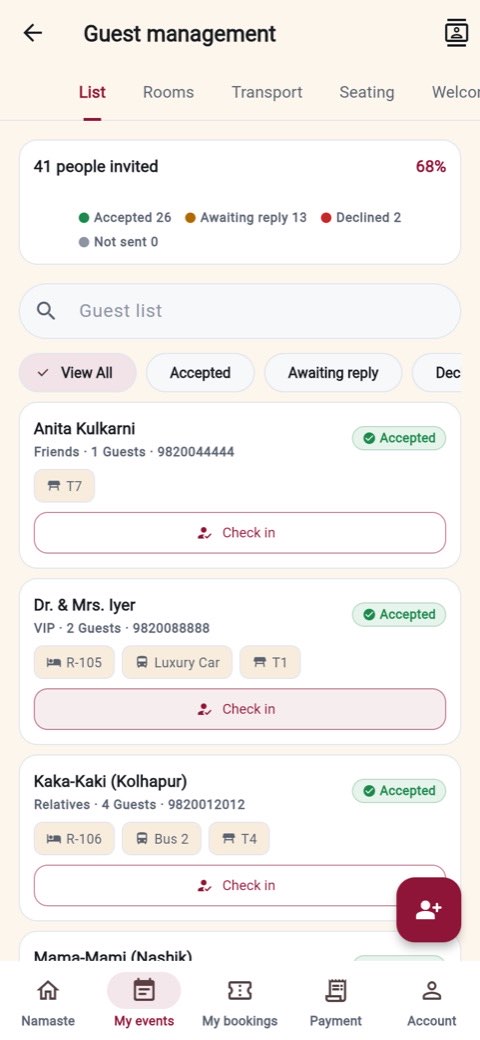
Invite by list or by paste, group by family, track RSVPs against venue capacity, and hold hotel rooms, transport, seating and welcome desks in the same place.

💌

Invitations

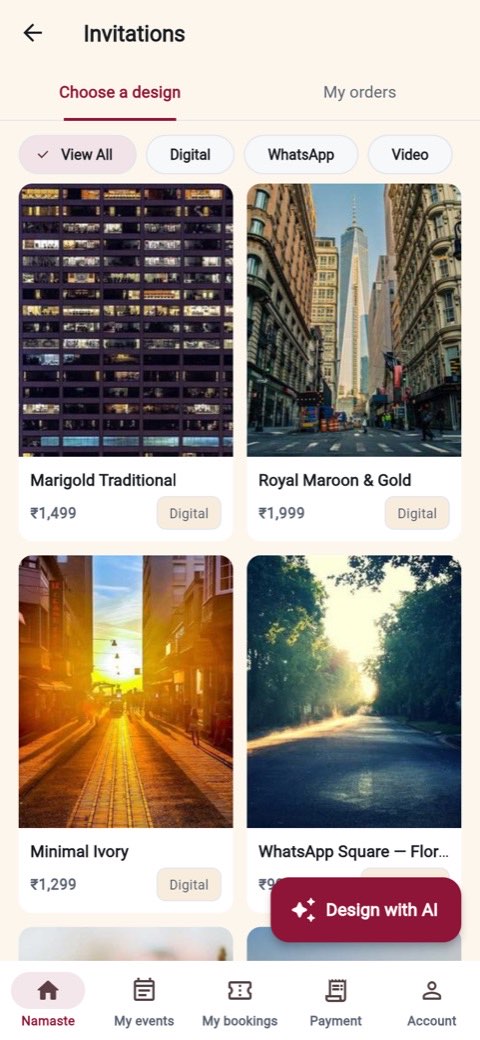
Digital cards, WhatsApp formats, video invites, printed orders and a wedding website. Every guest gets their own RSVP link, so a reply belongs to one guest.

🧾

Quotes and payments

A final quote arrives as line items with the discount, the 18% GST and your token credited off. Accept it and the balance appears. Every receipt is downloadable.

🕉️

Shubh Muhurat

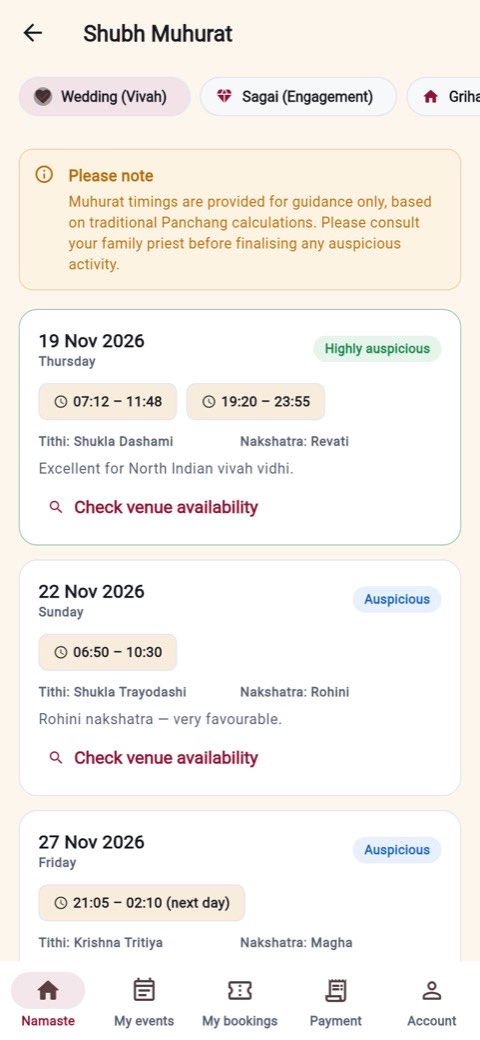
Auspicious windows for eleven occasions with the tithi and nakshatra, each one carrying the disclaimer alongside it rather than buried in a settings page.

The customer app, screen by screen

Real screens, captured from a running build — nothing staged, nothing mocked up in a design tool.

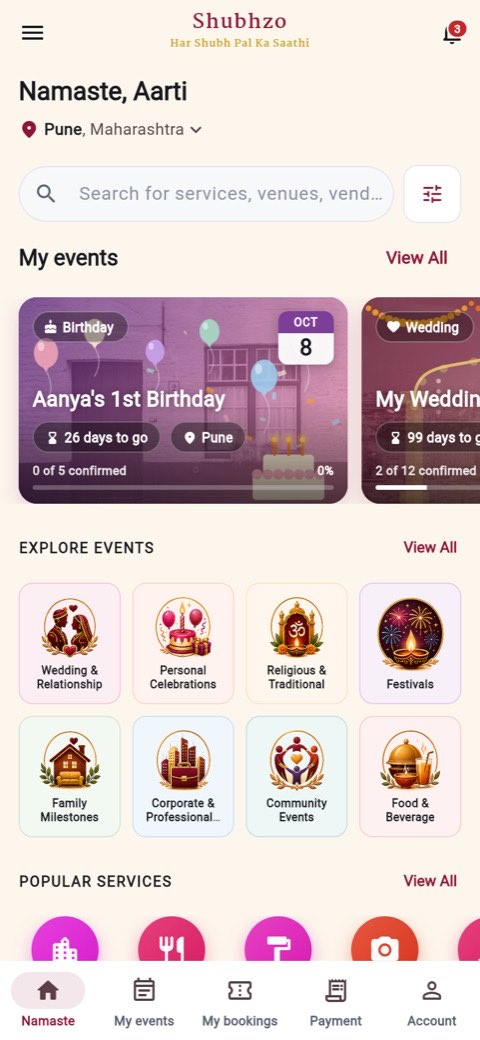
Customer home screen with the user's events, category tiles and popular servicesHome & your events
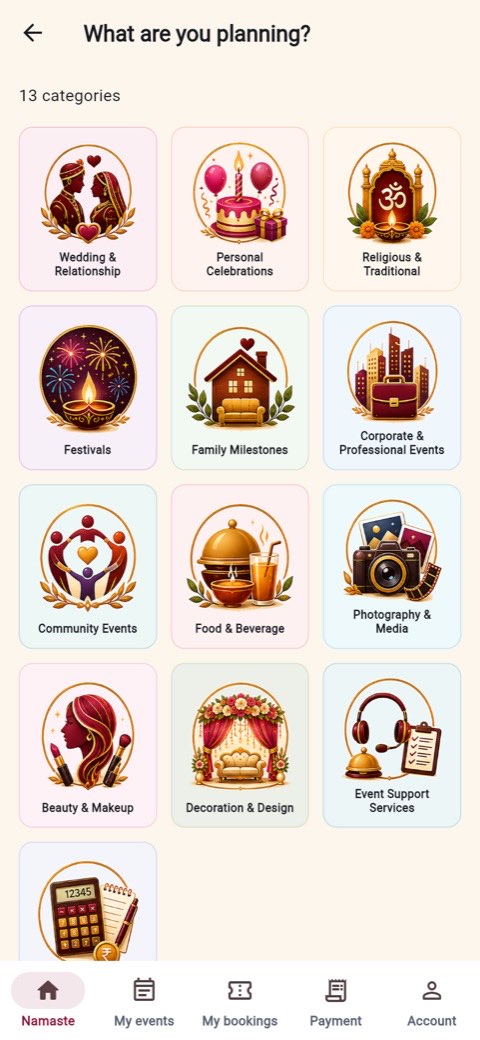
The What are you planning grid showing 13 illustrated event categories13 illustrated, 29 in all
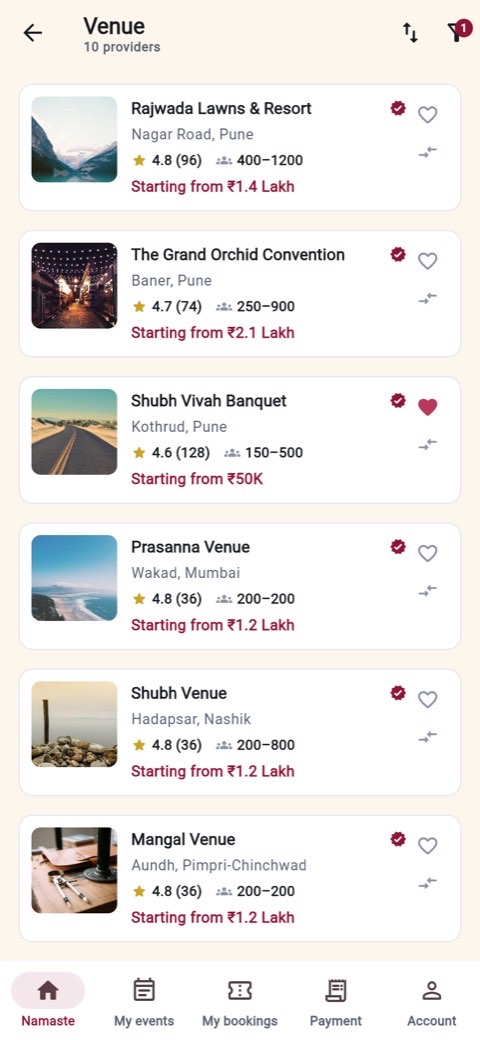
A list of venues with ratings, capacity and starting priceBrowse & filter
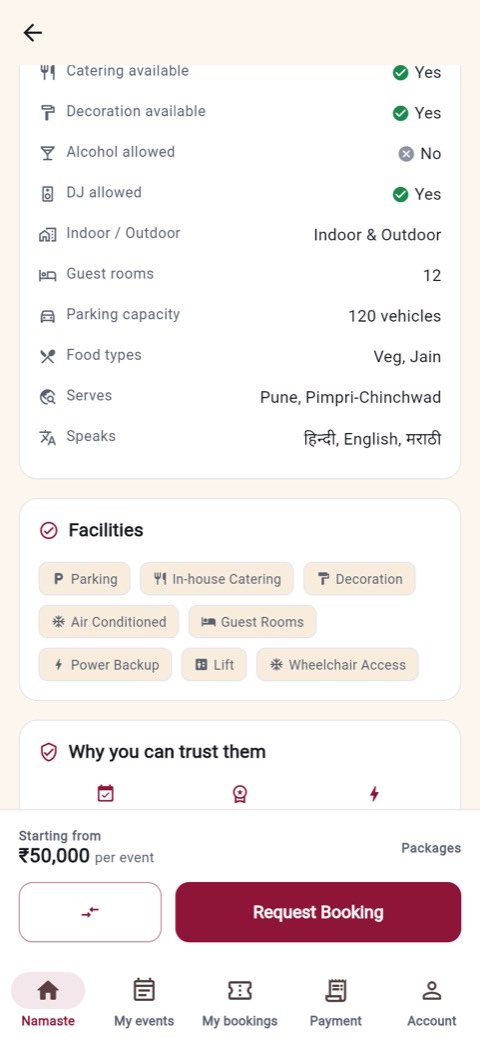
A venue profile showing facts, facilities and the reasons to trust themVenue facts & trust
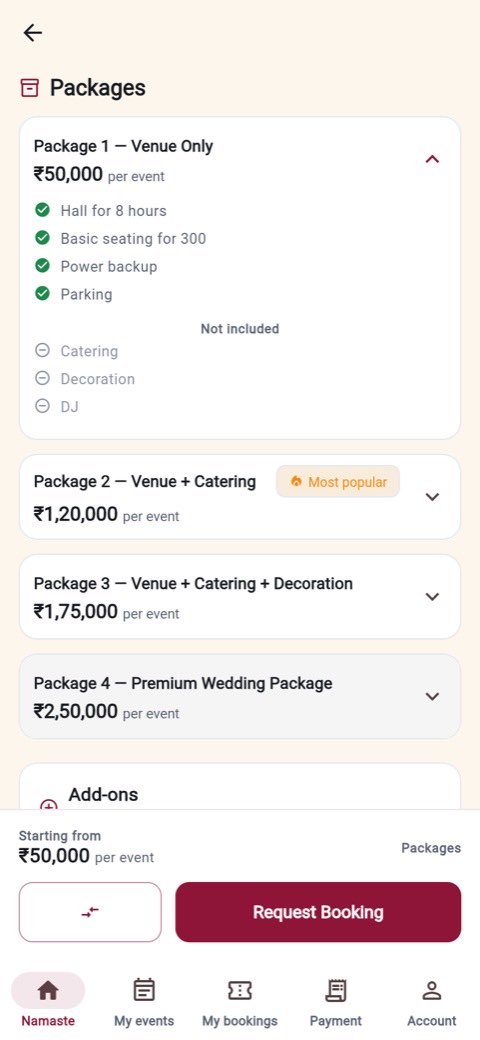
Packages with inclusions and exclusions and selectable add-onsPackages & add-ons
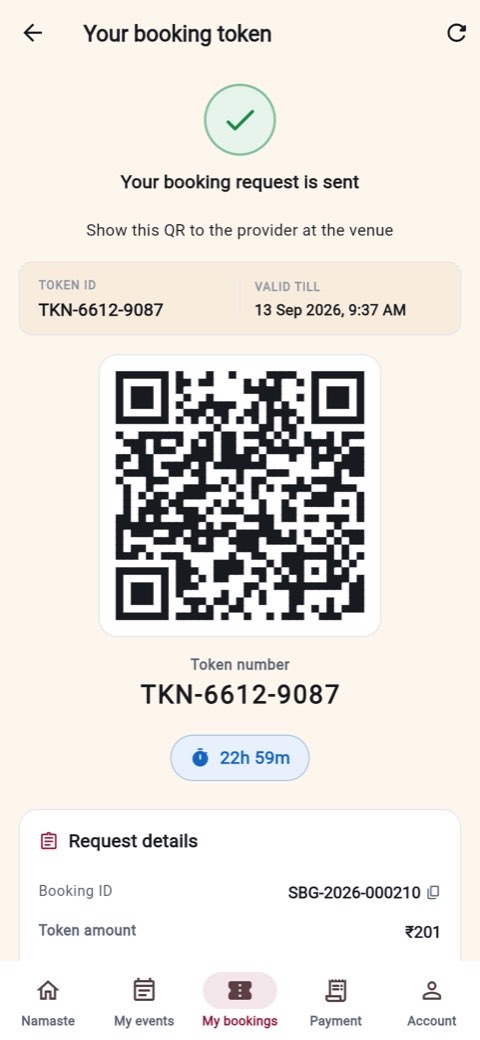
The booking token screen with a QR code, token number and a live countdownYour token & QR
The event workspace showing progress, budget and what needs attentionEvent workspace
The budget calculator showing an estimated total and a category-wise splitBudget calculator
Shubh Muhurat listing auspicious dates with tithi and nakshatraShubh Muhurat
Guest management with RSVP states and check-inGuests & RSVP
Invitation card designs including digital, WhatsApp and video formatsInvitations
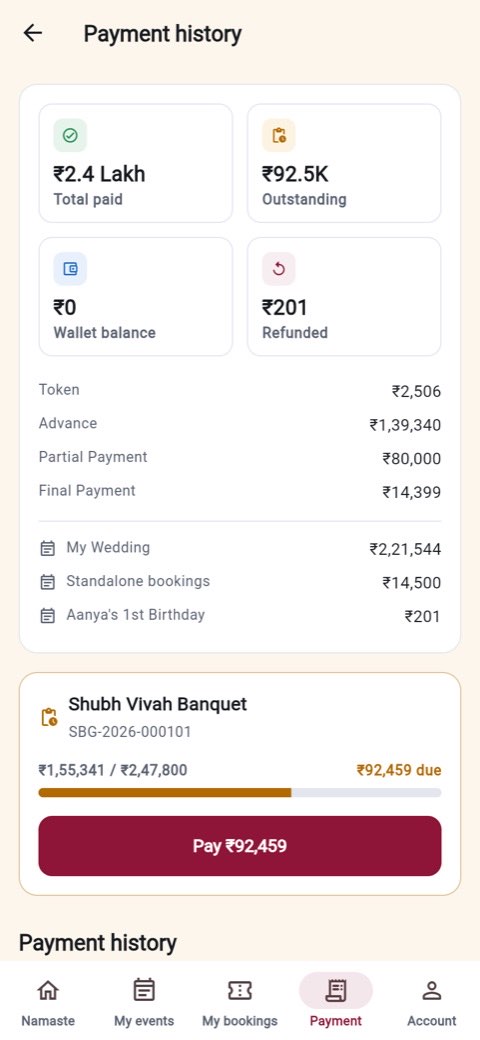
Payment history showing paid, outstanding and refunded amountsPayments & receipts

The partner app

The other half of the marketplace

Vendors get a real business app, not a lead inbox: a pipeline, a calendar that cannot be double-sold, earnings arithmetic you can check, and insights that end in something to do.

📋

A pipeline in five stages

New, upcoming, awaiting confirmation, completed, archive. Every card carries its single next action, so there is never a job you have to work out what to do with.

📷

QR verification, six checks

The scanner runs all six of the platform's checks and reports each one separately, so a failure tells you exactly which one failed — and nothing about a customer who isn't yours.

📅

A calendar that can't double-sell

Accepting a job writes the date into your booked set, and the availability filter, the customer's date picker and the accept endpoint all read from it. Booked dates cannot be unblocked by hand.

💰

Earnings you can audit

Gross, commission, TDS, net. Settlement batches with UTRs, an account ledger, GST invoices you can share with your accountant, and a payout account gated behind KYC.

📈

Insights that end in an action

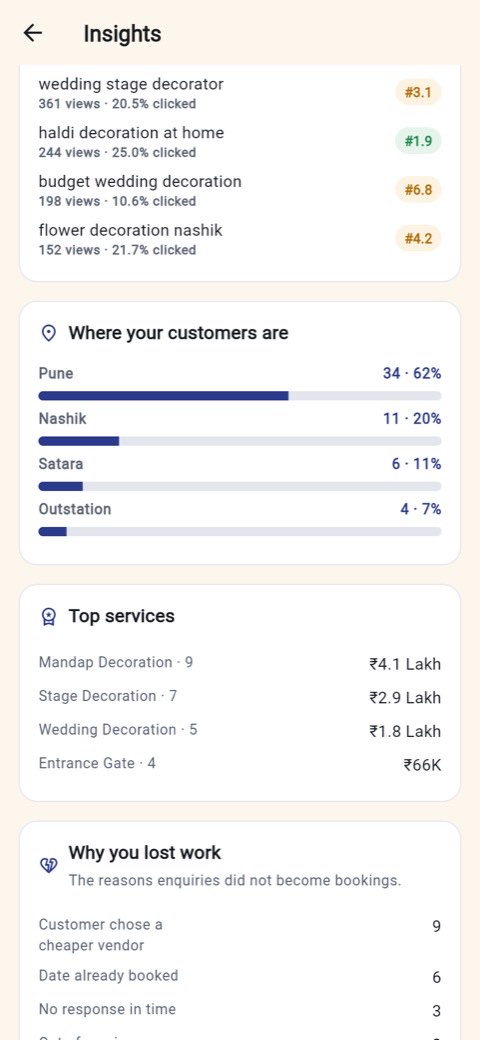
Where you rank on the searches you appear in, your twelve-month demand curve, the areas your customers come from, and how you compare with vendors like you — each finding links to the screen that fixes it.

🧾

Quote builder

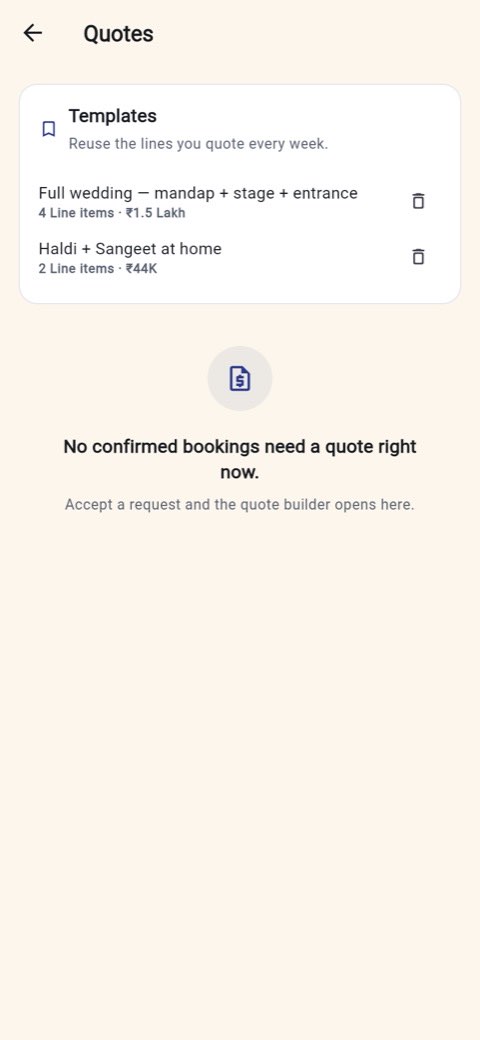
Pre-filled from what the customer actually picked, with reusable templates, a discount and tax line, and a live preview of what you will be paid after commission.

🏪

Storefront, packages, portfolio

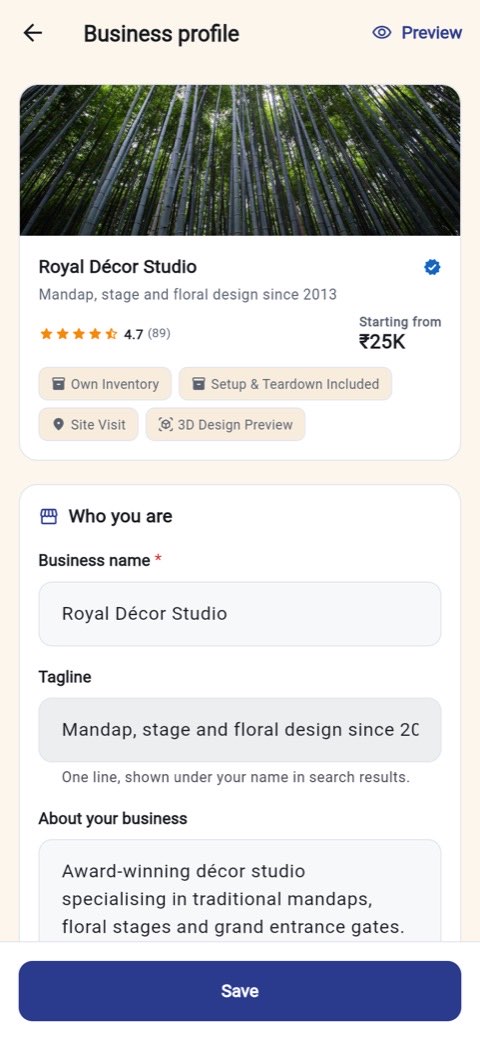
Your public profile with a customer's-eye preview, three package tiers with inclusions and exclusions, and a portfolio with a progress strip against the eight-photo mark.

🎁

Offers and plans

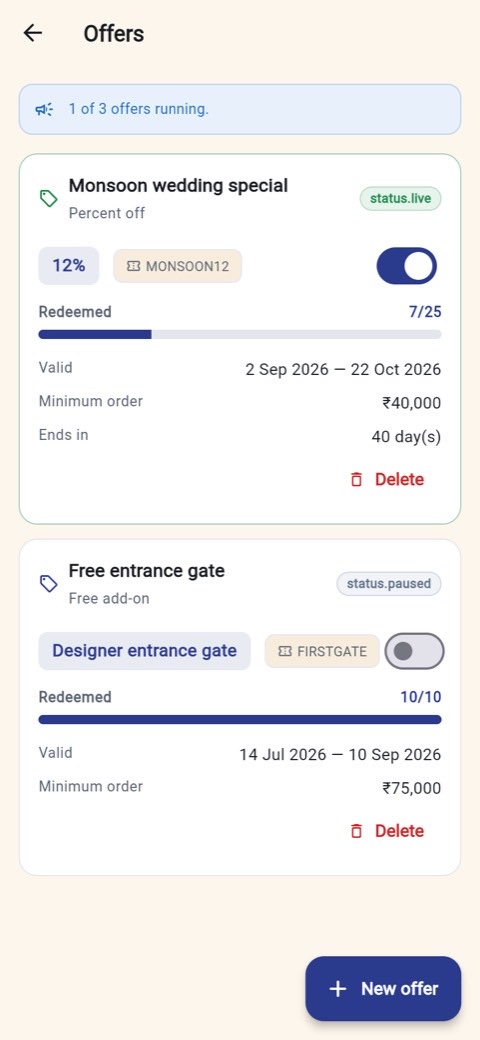
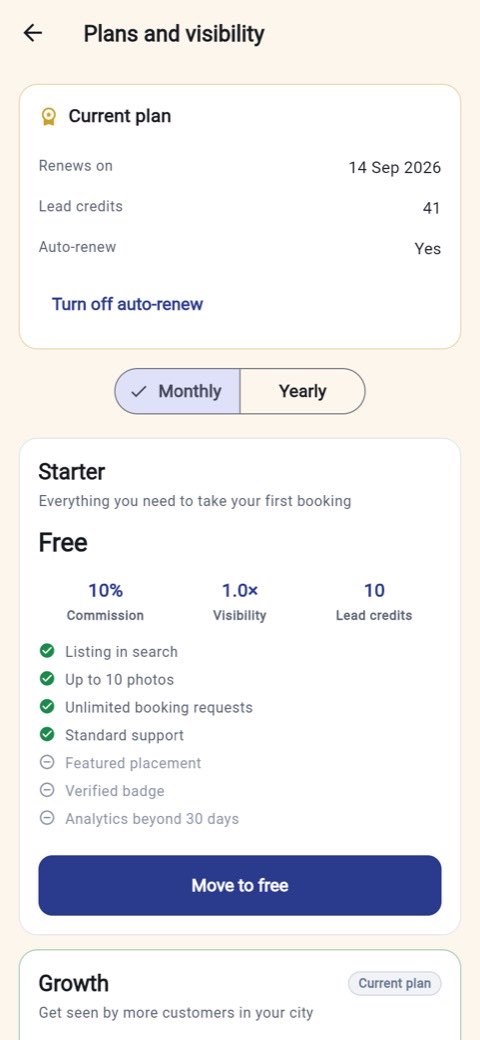
Percentage, flat or free add-on offers with audience, validity and redemption caps. Three plans where commission, search weight and lead credits move together.

👷

Team, documents, disputes

Crew with roles and per-job assignment, licences and insurance with expiry warnings that surface on Home, and disputes raised on a thread instead of over the phone.

The partner app, screen by screen

The Partner side runs indigo and teal, so a vendor who switches never mistakes one app for the other.

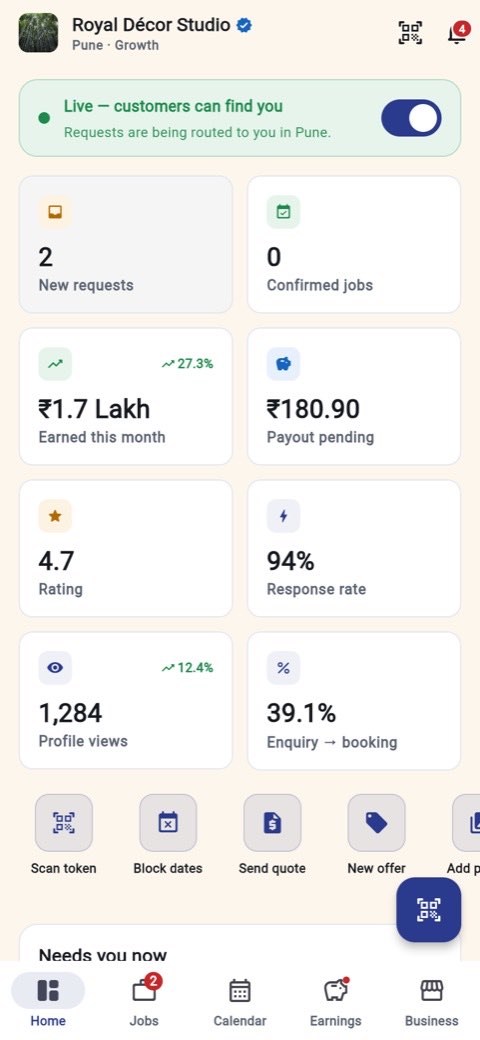
Partner home with KPI tiles for new requests, earnings, payout pending and ratingComposed home
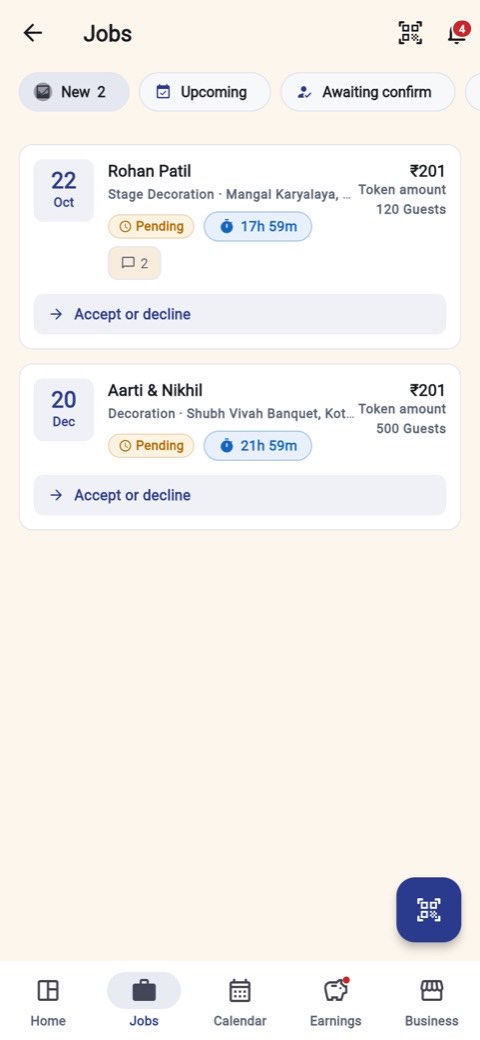
The job pipeline with pending requests and their countdownsJob pipeline
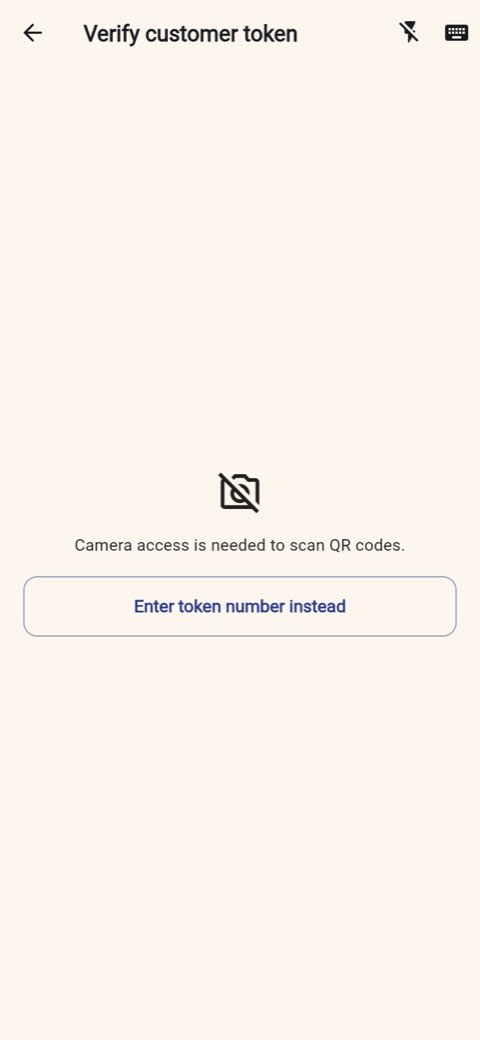
The token verification screen offering a QR scan or manual token entryVerify a token
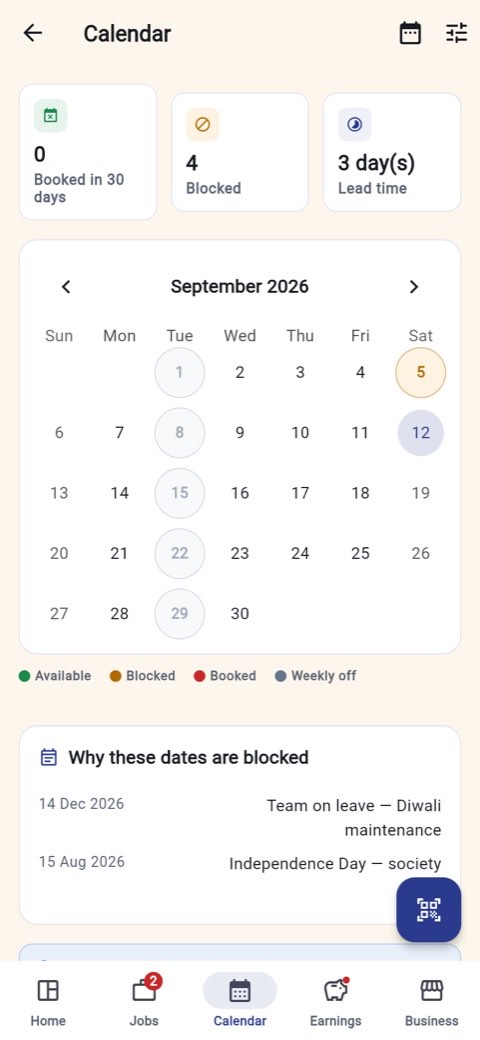
The availability calendar showing available, blocked, booked and weekly off daysCalendar
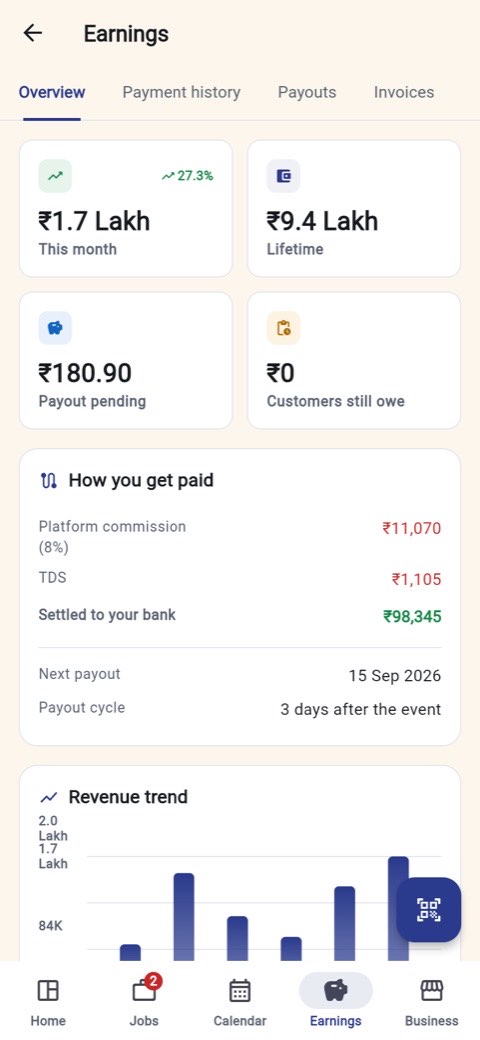
Earnings overview with this month, lifetime, payout pending and the commission breakdownEarnings
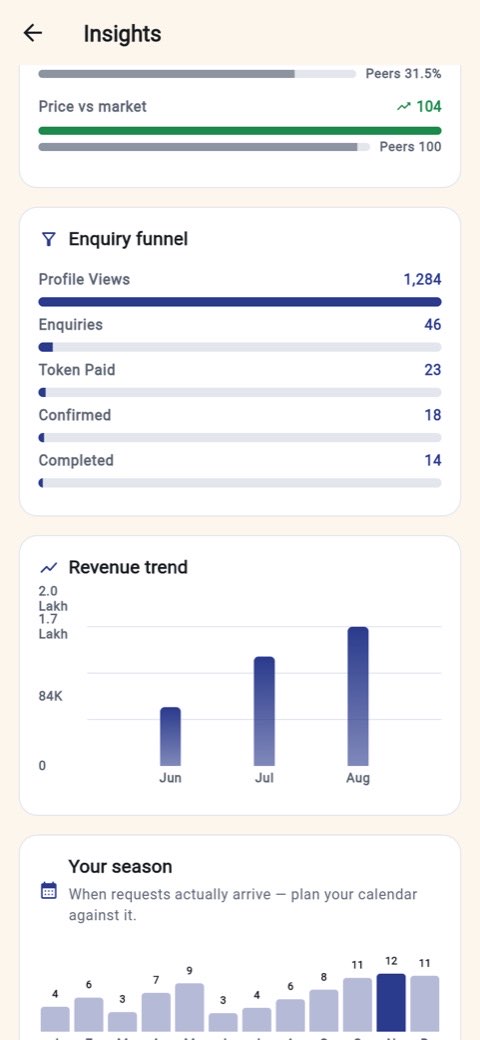
Insights showing the enquiry funnel and a revenue trend chartFunnel & revenue
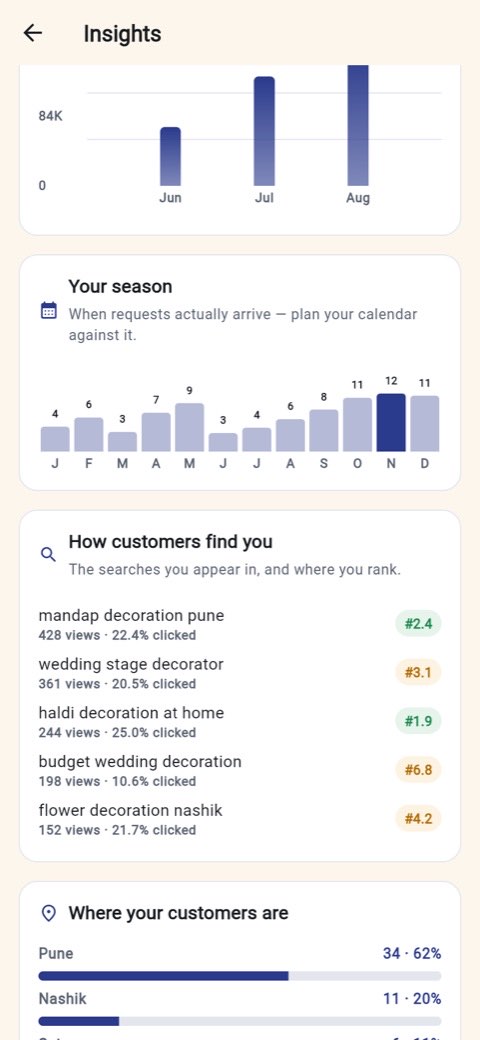
Insights showing the twelve-month demand curve and the searches the vendor ranks forSeason & search rank
A reputation score with the factors that move itReputation score
The quote builder with reusable templatesQuote builder
The business profile editor with a customer's-eye previewStorefront
Offers with redemption counts and validity windowsOffers
Plans and visibility showing the Starter tier with its commission and lead creditsPlans

Explained in numbers

What the Partner app actually shows a vendor

The three charts below are the ones a vendor opens most. The figures are from a running build — a Pune decorator with live traffic — so the shapes are the shapes the app really draws.

Where enquiries leak

Each bar is that stage as a share of the stage above it, which is the number a vendor can actually act on. Absolute counts are on the right.

Profile views 100% 1,284 Enquiries 3.6% of views 46 Token paid 50% of enquiries 23 Confirmed 78% of tokens paid 18 Completed 78% of confirmed 14
The leak is at the top: 1,284 people looked and 46 asked. That is why the app's first recommendation to this vendor is "add three more photos" — vendors like them show eleven.

Your season — when requests actually arrive

Twelve months of booking requests for one decorator. November is the peak; June and March are the months worth running an offer in.

129630 4 6 3 7 9 3 4 6 8 11 12 11 JanFebMarApr MayJunJulAug SepOctNovDec
The app pairs this with the calendar: block your weekly offs in the quiet months and keep the peak wide open.

Where the money goes on a ₹1,00,000 booking

Commission is a percentage of what the customer paid; TDS is 10% of the commission, deducted and deposited; the rest is settled to the vendor's bank three days after the event.

₹89,000 settled to the vendor ₹1,00,000 paid by the customer the two slivers on the right are itemised below
Vendor payout ₹89,000 · 89% Platform commission (Starter, 10%) ₹10,000 TDS, 10% of commission ₹1,000
The commission rate is the one number a plan changes, and it changes immediately — open a job after subscribing and the payout line has already recalculated.

Commission falls as the plan rises

Three plans, and the only thing that really matters in them is the rate. Search visibility and lead credits move with it.

PlanPriceCommissionSearch visibilityLead credits
Starter
Take your first booking
Free10%1.0×10
GrowthPopular
Get seen across your city
₹999 / mo
₹9,990 / yr
8%1.8×60
Pro
Studios and venues running a full calendar
₹2,499 / mo
₹24,990 / yr
6%2.5×200
On the ₹1,00,000 booking above, moving from Starter to Pro takes the platform's cut from ₹10,000 to ₹6,000 — which pays for the plan roughly two and a half times over on a single job.
Privacy is a server rule, not a UI trick

Nobody gets your number for asking.

On most marketplaces, an enquiry is a phone number handed to a stranger. Shubhzo does not send either party's phone or email to the other until the booking is confirmed — and it is the server that withholds them, returning masked values and a locked flag, so there is nothing for a modified app to reveal.

Phone and email masked until a booking is confirmed by both sides
A vendor's message thread stays shut until they accept the request
A failed token scan names no booking and no customer
Tokens refund automatically — you never have to chase one
Booked dates cannot be quietly unblocked and resold
Delete your account and its data from inside the app
🔒

Masked by default

+91 98765•••10 until confirmed

↩️

Automatic refunds

No answer in 24h, money back

🧿

Six-point verification

Every scan, every check reported

🗣️

Eleven languages

Switchable with no restart

At the venue

What the vendor's scanner checks

The vendor opens the scanner standing in front of you. Six things have to be true before the Accept button appears, and each is reported on its own line — so a failure says which one, not just "invalid".

✓Valid tokenThe code exists and was issued by the platform.
✓Valid bookingIt points at a real booking, not a stale one.
✓Valid providerIt was issued to this vendor, not a competitor.
✓Payment doneThe token was actually paid and verified.
✓Not expiredThe 24-hour window is still open.
✓Belongs to this customerThe person holding the phone is the one who booked.
The interesting case is the failure. Scan a token that belongs to another vendor and the "valid provider" check fails — and the other five checks stop naming anyone. No booking code, no customer name. A token number is guessable, so a failed scan tells you the token is not yours and nothing whatsoever about whose it is.

Localisation

Eleven languages, switched without a restart

Each language is one file. A missing key falls back to English rather than showing a blank label, which is what lets a partially translated language ship at all.

Translation coverage today

English and Hindi are complete. The other nine carry a 217-key working subset — navigation, primary actions, status chips, auth and errors — and fall back to English for the rest.

English 1,360 हिन्दी 1,360 मराठी 217 ગુજરાતી 217 বাংলা 217 தமிழ் 217 తెలుగు 217 ಕನ್ನಡ 217 മലയാളം 217 ਪੰਜਾਬੀ 217 اردو 217 · right-to-left 01,360 keys
Complete 2 languages Working subset, English fallback 9 languages
The nine partial files are waiting on a native-speaker pass rather than a machine translation, which would have looked complete while reading worse than the visible fallback. Numbers and dates follow Indian conventions throughout — ₹1,75,000, ₹1.8 Lakh, ₹1 Cr.

Getting started takes about a minute

Both sides start the same way and diverge on the second screen.

1

Pick your language

Eleven, each in its own script. Changeable later from Settings at any time.

2

Choose your side

Plan an event or Grow my business. Signing in with a vendor account overrides the choice.

3

Sign in with your number

Mobile and a one-time code. The customer side also asks for a verified email before it opens.

4

Create the event, or the business

Customers get a checklist built for the occasion. Vendors walk a four-step registration and then KYC.

Want the whole thing walked through, screen by screen, including the parts that are meant to fail? Read the full tutorial →